Go-live planned Q1 2027
School and home stay in touch. Personal numbers stay private.
CampusGateway gives school leaders, teachers and parents one place for messages, notices, homework, attendance and forms. People see what their role allows, and key actions go on an audit log.
Conversation with Form teacher
Mobile numberNot shown
ParentGood morning. Is the class trip form due this Friday?
Form teacherYes, it is due on Friday. You will find it under Forms.
The problem
When school life runs through personal phones, everyone carries the load
Personal numbers get passed around
Teachers and parents swap mobile numbers to get things done, and those numbers stay in circulation long after the class has moved on.
Messages end up everywhere
Paper notices, informal chat groups and separate emails leave parents unsure where to look, and schools unsure who was told what.
Follow-up takes over
Paper consent forms and absence notes have to be collected, checked and chased one at a time.
How it works
Three steps from class list to conversation
The school sets up its people
Administrators add or import students and guardians, link parents to their children, assign staff to classes and send invitations.
Invited people sign in
Parents use a secure link sent to the email address the school approved, with no password to remember. An account only opens for someone the school has invited.
Everything happens in one place
Notices, homework, attendance, forms and messages reach the right people, with alerts in the app and by email.
By role
One register, three views
Works in a web browser on phones, tablets and computers, so there is no app to install.
School
- People and classesManage students, guardians, staff and class assignments. Import rosters by CSV and check a preview first.
- Notices and documentsPublish to the whole school, a level, a class, a role or named people.
- Forms and consentBuild forms from templates, track responses, remind those outstanding and export the results.
- AttendanceSee attendance and absence reports across the school.
- MessagesKeep an administrator inbox and review any message that someone has reported.
- RecordsOpen the audit log and check how email notifications were delivered.
Teacher
- My classesSee the classes and students assigned to you.
- Notices and documentsRead the announcements, documents and events addressed to staff.
- Forms and consentCreate forms for your classes, follow responses, send reminders and export your own forms.
- AttendanceTake attendance by class, look back at history and review absence reports from parents.
- MessagesHold private conversations with the parents of students you teach.
- Homework and materialsPublish homework and learning materials, then see which parents have acknowledged.
Parent
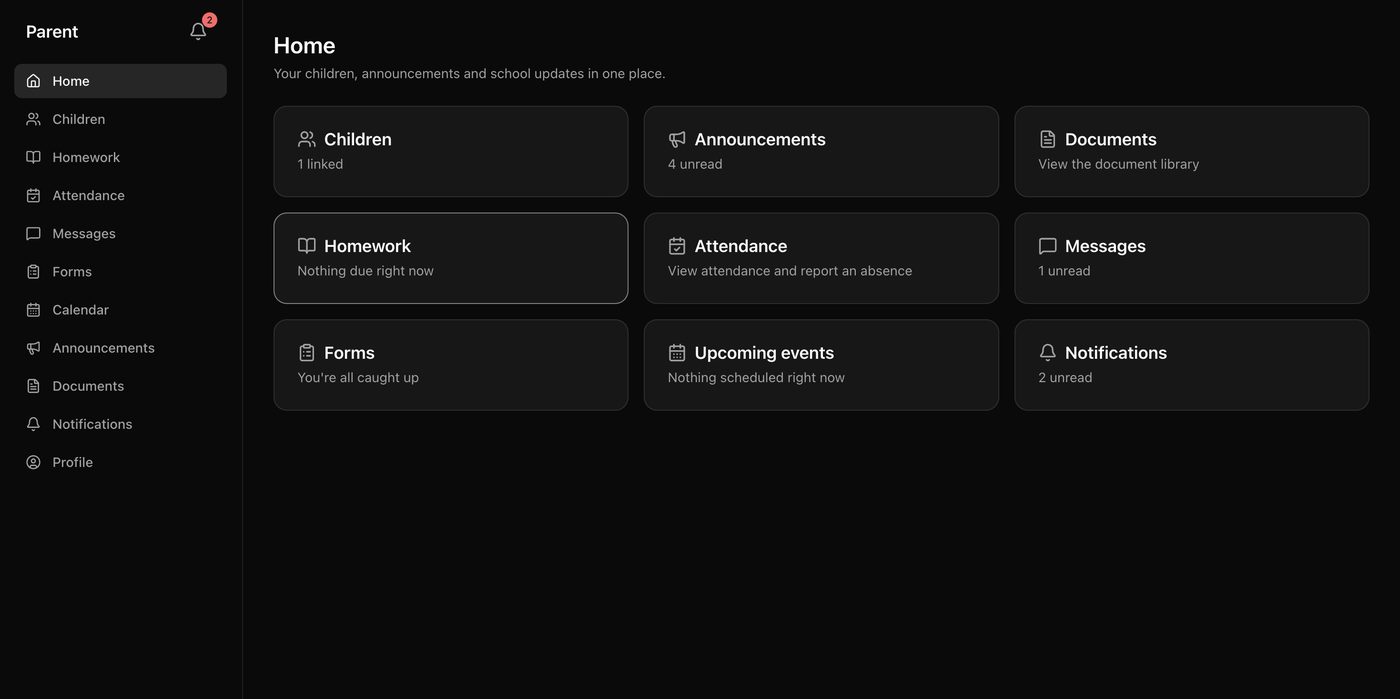
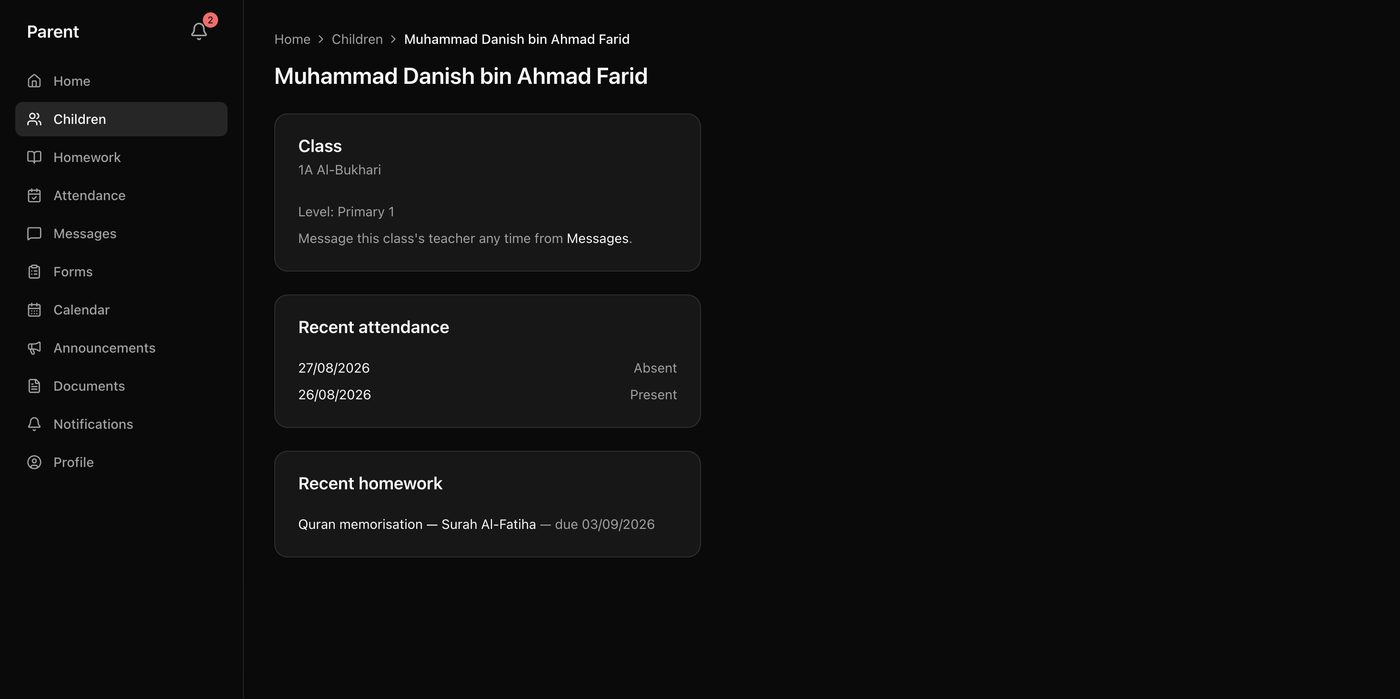
- My childrenSee each linked child from one dashboard.
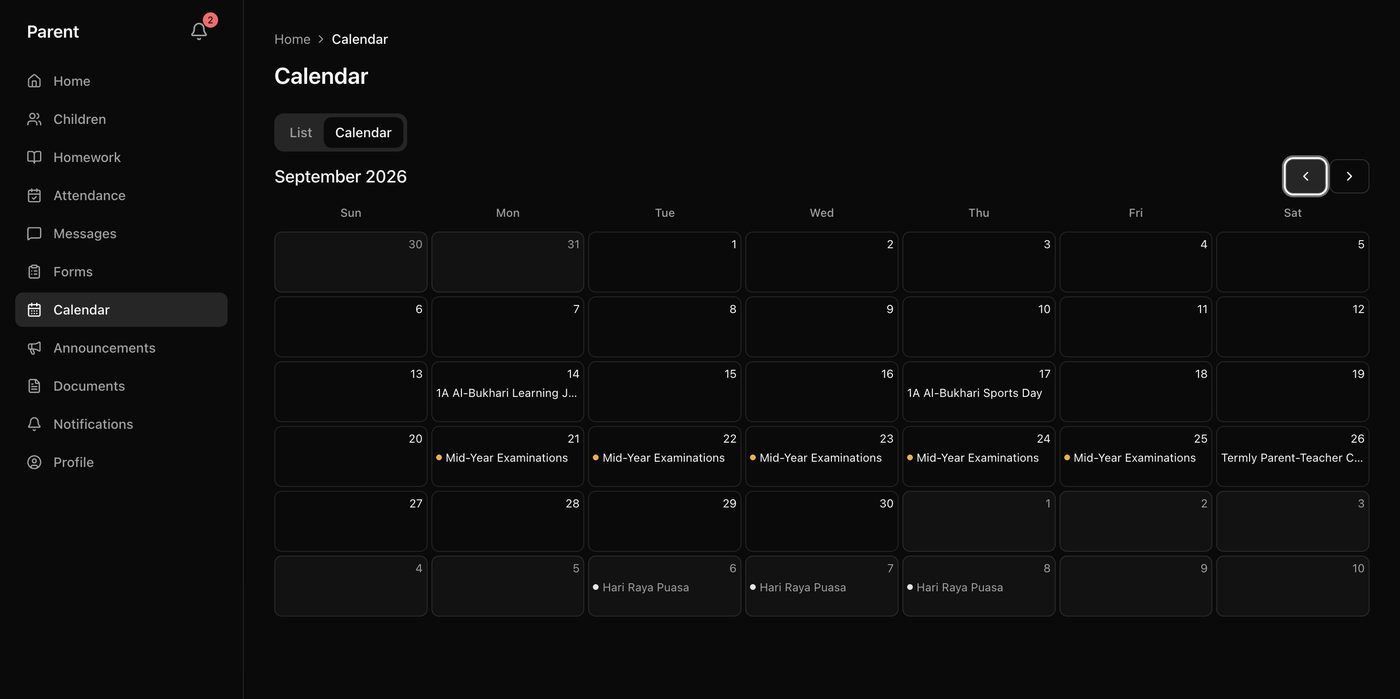
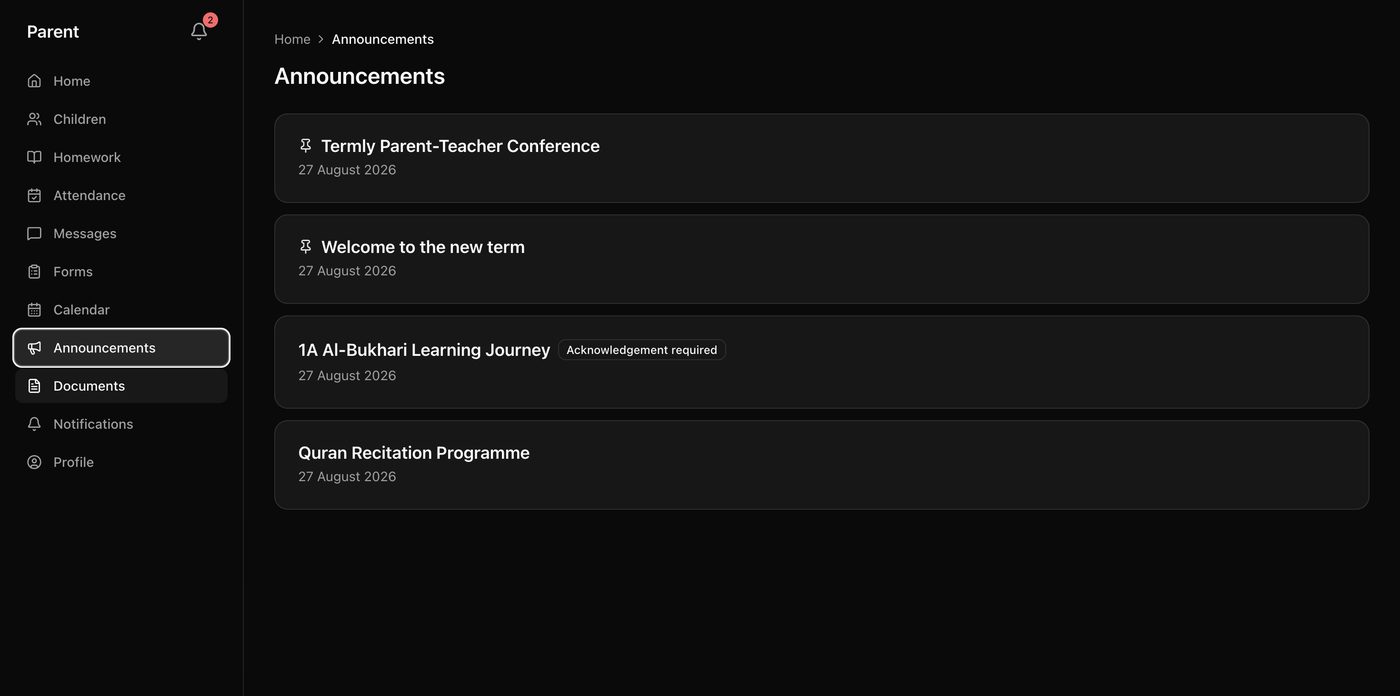
- Notices and documentsRead announcements, download school documents and check the calendar.
- Forms and consentComplete forms and give consent with your typed name and an acknowledgement.
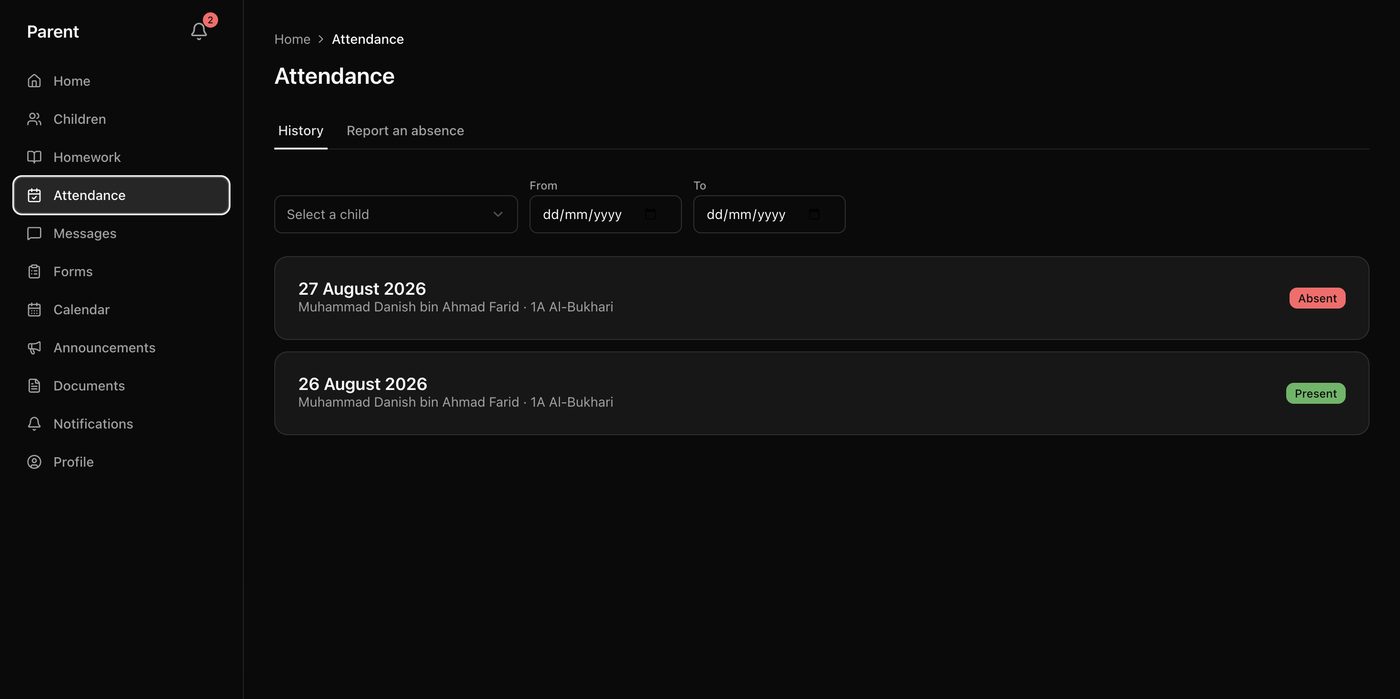
- AttendanceView attendance history, report an absence with an attachment and follow its status.
- MessagesMessage your child's teachers without sharing your mobile number.
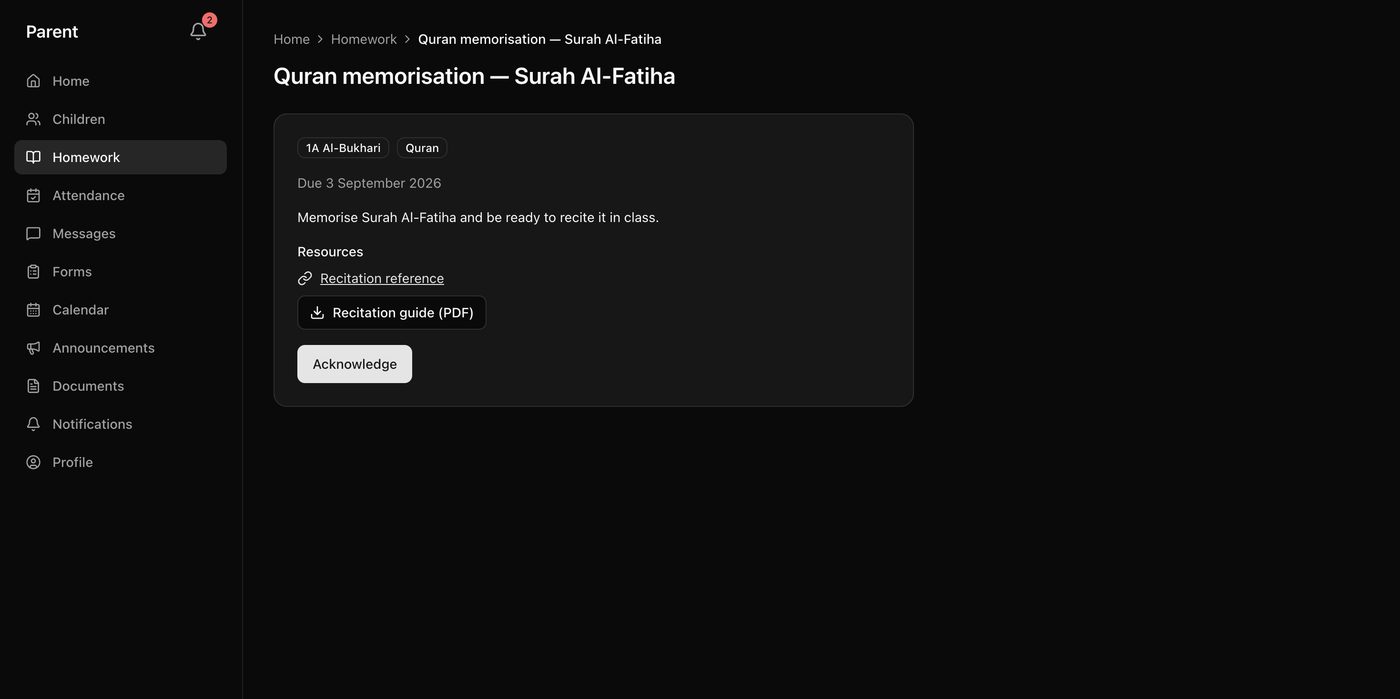
- Homework and alertsSee homework, acknowledge it and choose your notification preferences.
In the app
What a parent sees
Screens from the staging build. Illustrative screens with sample data.
Privacy and audit
Private by role, with a record of what matters
Access is enforced in the database
Rules sit in the database as well as on the screen, so hiding a button is never the only protection. Each school's records are kept separate.
Parents and teachers see their own part
Parents see only their linked children. Teachers work with the classes and students assigned to them.
Phone numbers stay with the school
Within the school, only administrators can see a parent's phone number. Teacher and parent screens show names.
Conversations stay within approved relationships
There is no open directory to search. Parents reach staff connected to their child, and teachers reach parents of their own students.
Messages stay as sent
Parents and teachers cannot edit or delete a message. Administrators see a conversation only if they are part of it or a message in it has been reported.
Consent is kept with its wording
Each response keeps the consent text shown at the time, the typed name and the time of submission. It is an operational record and is not a regulated e-signature.
Examples of actions on the audit log
- Attendance session submitted
- Homework published
- Form response submitted
- Document downloaded
- Messaging conversation started
- Messaging message reported
- Guardian child linked
- Staff role granted
Each entry records who acted, what they did, which item it concerned and when. Only school administrators can open the log, and it offers no way to change or remove an entry.
Where we are
Built and being readied for launch
TODAY
The features on this page are built and running in a staging environment. User acceptance testing and production setup come next, with go-live planned for Q1 2027.
PLANNED, NO DATES SET
School-wide campaigns, scheduled sending, emergency notices and further delivery channels, after the first release.
NOT IN THE FIRST RELEASE
Student accounts, grades and report cards, payments and fees, admissions, transport tracking, native mobile apps, AI assistants and multiple languages.
REPLY SLIP
Would CampusGateway suit your school?
Tell us about your school and how you communicate with parents today. Write to ops@supercharge.sg.
Already invited? Sign in